New Feature: Bulk Downloads
- January 23, 2026
- New Features
Our first new feature for 2026 brings a slight change to the job screen and saves you even more time when downloading documents!
In the top right corner of the Job screen, a new button gives users the option to:
-Share
-Download
-Duplicate this Job
-Archive
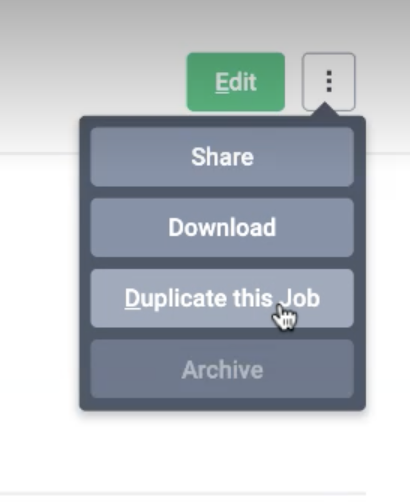
We have moved the duplicate job button to this section along with the Archive and Share options (read more on Job Sharing here)
The new Download option will condense selected job documents into a single pdf file.
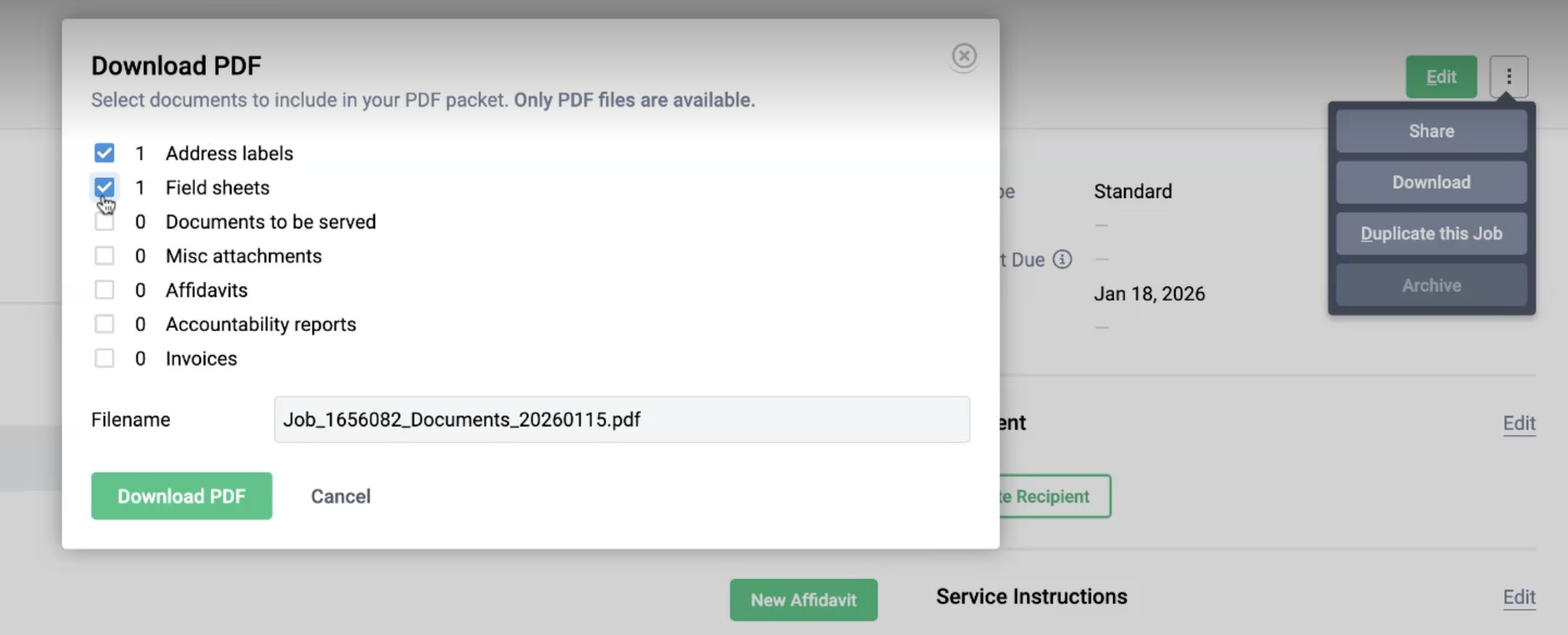
Job Documents include:
-Address Labels
-Field sheets
-Documents to be Served
-Misc attachments
-Affidavits
-Accountability Reports
-Invoices
The Pdf packet can be renamed and redownloaded at any point in time by visiting the Downloads section of your account.
Pro-tip: After downloading the packet, you can upload the packet into the job as a misc attachment so you can easily email the packet to the client or contractor. If collaborating, visibility permissions can also be applied.